Thursday, 19 December 2019

Cracking the case with digital forensics.


In the world of law enforcement, digital forensics is a game changer nearly as important as DNA testing.

Image result for Cracking the case with digital forensics.

When two 13 year old girls went missing in September 2014, the first place detectives looked for clues was on their iPod, smartphones and other digital devices. The digital evidence led them to the girls and they were found in the basement of 23 year old Casey lee chin. He is now being charged with felony criminal sexual conduct, kidnapping and solicitation of a child.

 Digital forensics – the examination of cell phones, tablets and personal electronics in criminal investigations – is dramatically changing the way cases are worked and solved. While technology has created new portals for predators searching for victims, it is also leaving tell-tale trails for police.

Image result for Cracking the case with digital forensics.

Law enforcement say that digital forensics has become an investigation imperative. With majority of adult’s caring a cellophane the devices have become the one constant in many people’s lives. Your cell phone has become everything you need throughout the day – your alarm clock, phone line, email, social media terminal and so much more. Police use that almost constant phone activity to verify a suspects or witness statement and provide a log of a person movements and activities. Smartphones can even be an eyewitness by recording a crime in progress.

Electronic devices are just a treasure trove of information. The digital evidence is one of the first thing investigators look at because they leave footprints all over the place – who you were talking with, where you’re take you photos and even who you’re been tweeting.
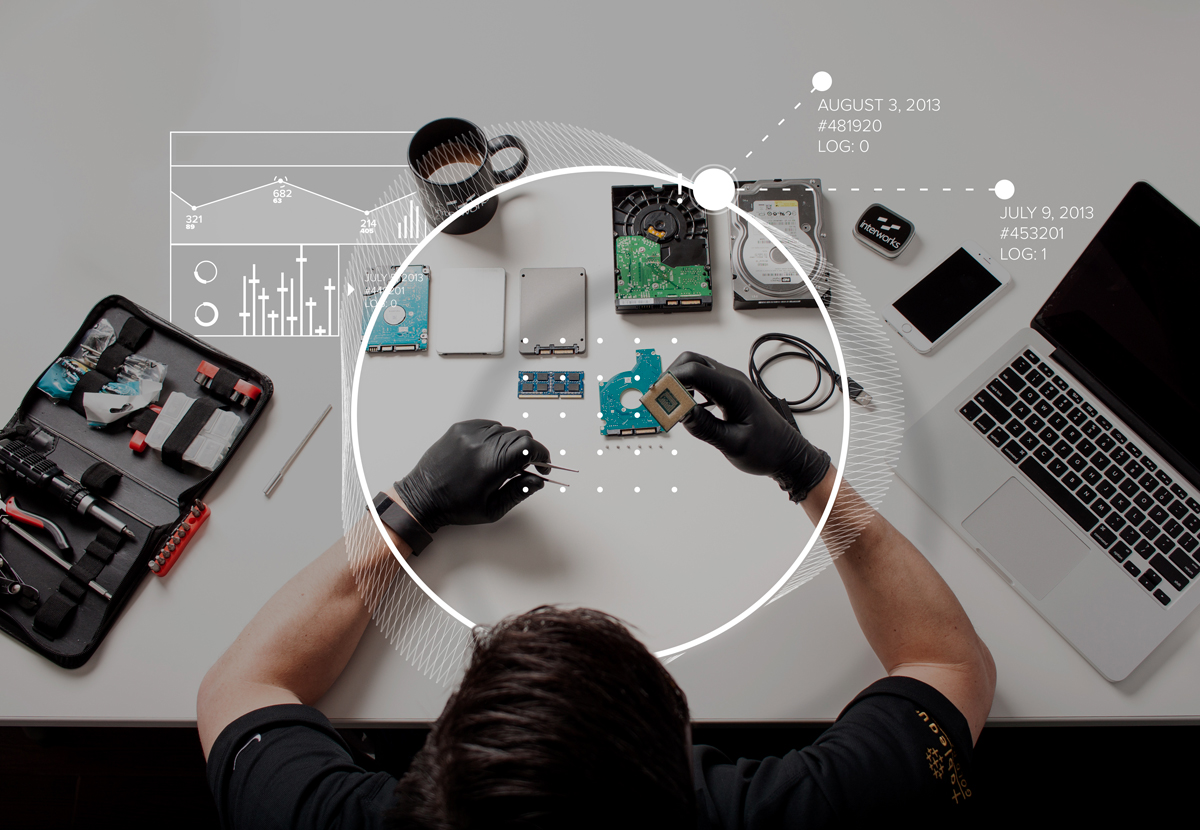
Image result for Cracking the case with digital forensics.

It’s true, technology leaves a tell-tale trail for law enforcement and digital forensic investigators.

Tuesday, 17 December 2019

Smartphone safety for children


Were more connected than we were a few years ago and were continuing to grow as time goes by.

These days, teenagers and even small children are getting caught up in all the new technology that is being introduced. The ability to communicate with friends with the push of a button is a sought after thing, and having a smartphone is a privilege that all teenagers assume they should have. However smartphones can bring a few danger with them.

Image result for smart phone safety for children

It’s about time you sit down with your children and have a chat with them about smartphone safety.

You will never be able to remove them completely from the world of technology, so make sure to sit down and have an educational conversation instead of arguing with them.

Who are they talking to would be a great question to ask yourself?

Are they chatting to their friends or someone they met online? Let them know that people are usually not who they seem to be online and they should apply “stranger danger” online as well as in the street.

What kind of content are they looking at? Are the apps, games, videos, etc. They’re looking at appropriate for their age? Remember to be aware of any cyber-bullying is taking place.

Image result for smart phone safety for children

Are they texting and driving? Texting and driving is beyond dangerous, especially for young teens who have just started driving and have little experience. There are apps you have use to control this, but there should be strict rules in place too.

Do you have any questions about smartphones safety or cellular forensics? At TCG Digital Forensics, we offer a range of services, from cyber forensics and mobile phone analysis to image enhancements and suspect profiling. Contact us on 0870010523 or contact@tcgforensics.co.za

Friday, 13 December 2019

7 steps to good digital parenting


Parenting today’s tech savvy kids can seem overwhelming, but you can do it! Take these seven simple, but still challenging steps, to becoming a good digital parent.

Yes when they are small we all have a hand on things. But as they get big it becomes more difficult to keep an eye out for things and so much can go wrong. Scams, hacking, kidnapping and so much 
more.

Image result for digital parenting

Talk with your kids

Educate yourself

Use parental controls

Set ground rules and enforce consequences

Friend and follow but don’t stalk

Explore, share, and celebrate

Be a good digital role model

Image result for digital parenting

Talk early and often be open and direct and always stay calm. Always try and search online for anything that you do not understand and try out some apps, games and sites yourself. Discuss and sign a family safety agreement so that the bond is already there. Restrict where and when they may use the device and that way boundaries will be set. If a rule is broken remove the tech privileges and do try and stick to them.

Follow your kids on social media but also respect their online space and freedom, try not to flood their accounts with comments and likes. Go online with your kids and explore their digital world, share your own online experiences and learn from each other and have some fun!

Get in contact with us on 0211100422 or www.tcgforensics.co.za

Thursday, 12 December 2019

Romance Scammers


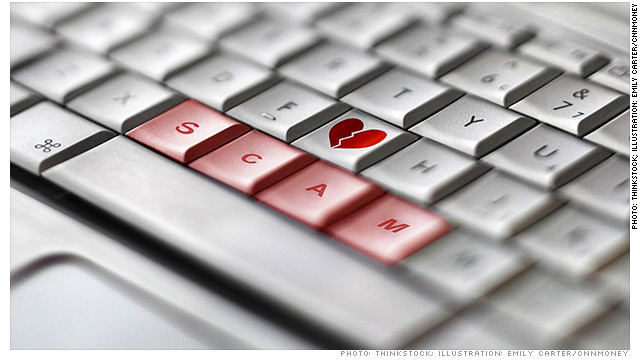
What you need to know about Romance Scams. In this day and age lots of people are turning to online dating apps or social networking sites to meet someone. But instead of finding romance, many find a scammer trying to trick them into sending money.

The romance scams was 1 of the biggest reported losses over any other scams that was reported. Romance scammers create fake profiles on dates sites and apps, or they will target and contact through popular social media sites like Facebook, Instagram extra.

Here are just some of the lies they would tell you.

I am working on an oil rig
I am in the military
I am a doctor with an international organization

Here are some ways they will ask you for money and target you to send it to them and will ask you to wire the money or send it in a gift card.

Pay for a plane ticket
Pay for surgery
Pay for a visa or other official travel document

Image result for Romance scammers

Scammers ask you to pay by wiring money, with reload card, or with gift cards because they can get cash quickly and remain anonymous. They also know the transactions are almost impossible to reverse. Avoid losing money to a romance scammer and here is how.

Stop communication immediately
Talk to someone you trust about what is going on and get some advice
Do a search for the person job, profile, family or friends and ask questions re that
Do a reverse image search of the person profile picture

If you have any feeling this is a scammer or an uncertain feeling report it. Do not get yourself caught up losing money and braking your heart!

Contact us on 0211100422 or Email contact@osint.co.za 

Monday, 2 December 2019

All about Holiday Scams


It’s the festive season and everyone wants to travel. Now let us help you avoid any scams that you might come across when traveling or on your holiday as we both know this will be the worst! No one wants to be worried over this great festive season.

New research into cybersecurity has said that the UK alone has lost about 7M to fake sites and fraud in 2018. We are going to show you the five most common scams

Image result for holiday scams

Nowadays a fraudster will use increasingly sophisticated methods! They will target the most popular destination and time of the year to start with. They are well aware that we are all looking for great deals. As victims often find out just before they travel or even in-resort that they have3 been defrauded, it can then be difficult and expensive to obtain a legitimate replacement booking.

Some research we did and found out that 1 in 5 Brits in their lifetime are either been scammed or nearly scammed. As McAfee believes the actual figures are likely to be much higher as lots of people don’t actually report this issues small or big. As per below the big 5 scams that are common.

1. Fake Websites that look real
2. Being directed away from trusted sites for payment
3. Amazing Deals received via pop-up, emails and texts
4. Fake accommodation listings
5. Using unsecured networks

The above is just the simple one’s we can advise. Always just go with your gut feeling and if you do not know ask. Always report a scam or report it if you feel that it’s being suspicious activity.

Also always remember to connect with caution and avoid sharing sensitive data or bank account details. Consider using a VPN to help keep your connection secure. If you are going to rent do call the agent directly for information other than just sending an email or sms, always double check and do a little research and look at the comments and rates of the accommodation.

Try and book through a place that is well know or maybe a place that a family or friend has been to and recommended you to go. Another thing you can check is the payment page. Check for https:// rather than (http://) which should always appear on the payment page. Misspellings, additional words or characters, fuzzy or low-resolution pictures and logos are also be indicators of fraudulent website.

Otherwise you can always contact us! 


Wednesday, 27 November 2019

13 Vital Malware Warning Signs to look out for on your PC!

Imagine you’re working on something important and all of a sudden you start seeing multiple pop-up ads, plus your files or apps are taking ages to load. You start to ask yourself, is my computer infected with malware? It can happen to anyone of us, so always be extra careful!


If your computer starts acting up, it could be compromised with a virus or malware; however, this is just one of the many warning signs that could mean that your computer is infected. This is why it is vital to take action as quick as possible.

Here are the 13 most common warning signs of a malware infection on your computer.

1. Your computer is running slowly and your apps and files take longer to load than usual.

2. You keep getting blasted with pop-up ads or strange messages on your computer.

3. Your computer keeps crashing and/or it freezes and the blue screen of death appears.

4. You start getting this message on a regular basis, “you’re running out of disk space on Windows.”

5. You notice that when you start up your computer the network activity increases suspiciously.

6. Your homepage changes and you don’t remember doing it yourself.

7. Your computer is acting strange, like programs opening and closing, random shutting down, unusual messages, etc.

8. You’re getting messages saying that your antivirus software has been disabled.

9. Your friends are telling you that they’re getting random, strange messages from you on Facebook or other social media networks.

10. You notice that your desktop has new, unfamiliar icons that you do not recognize.

11. You start to see some unusual error messages appearing on your computer.

12. You can’t access your Control Panel on your computer.

13. Everything is working perfectly fine on your computer, but you’re paranoid and still want to check for malware. When it comes to protecting your data, it is vital to be a bit paranoid! The best way to protect your computer is to install a reliable security solution and do regular backups.

If you want to learn more about malware or any of our other services including open-source intelligence, digital forensics and IT support and solutions, please call 021 110 0422 or visit our websites www.osint.co.za | www.tcgforensics.co.za | www.tcgza.co.za

Wednesday, 20 November 2019

Be aware of these 5 Scams this Holiday Season

Hackers, scammers and cybercriminals love the holiday season because it gives them the chance to take advantage of the crazy holiday shopping and make a nice profit out of unknowing shoppers.

By using phishing scams, online scammers take advantage of the fact that your email inbox is so full of holiday specials and offers that you won’t think twice before clicking on a malicious link.
Here are 5 scams to keep an eye out for this holiday season…


Receipts and invoices. A lot of people do their shopping online these days and during the holiday season, there is a huge increase in online receipts and invoices that shoppers will receive via email. Scammers will hide malicious code in an attachment or link and shoppers won’t think twice when clicking on an attachment that’s apparently from Amazon!

Shipping status. Just like the fake receipts and invoices, fake shipping status alerts are a great way for scammers to trick shoppers into thinking there is a problem with their package or order. A notice from a legitimate-looking email to someone who is actually waiting for a delivery is bound to trick them into clicking on it.

Flyers and deals. The average user sees maybe a dozen or more special offers and deals during the holiday season. While going through emails, shoppers need to be on the lookout for discounts and offers from stores they have never shopped at before. It might be a great deal, but there’s a chance that clicking on it will only lead to a malware infection.

Malicious links. Malicious links are just as popular as malicious attachments, so always think twice before clinking on just any link in an email you receive. Hover your mouse over the link and if it is completely different the hyperlink included. In reality, the link is probably going to end up in malware or a fake website that’ll steal your private data.

Customer surveys. Scammers love to fake customer surveys that offer shoppers rewards such as gift cards or discounts after completing them. The difference between an actual survey and a fake one is easy to spot when you get to the last questions. A cybercriminal will often end up asking for your personal and financial information if so it’s definitely a scam!

Talk to your IT support provider to ensure your computer has the correct security measures in place as well as all the latest updates! Want to find out more about protecting your business or home from online scammers? Contact TCG Forensics on 021 110 0422 or pop an email to info@tcgforensics.co.za