Wednesday, 1 March 2017

Taking a Look at the Future of Backing up Online

So, what is really happening online? Let’s take a look at some of the most recent statistics...

Currently there are 2.4 billion internet users in the entire world, 634 million websites and 90% of the data that has been produced globally has happened in the last two years.

Related image

Did you know that last year, 45% of the people in the world used the internet, that’s about 3.4 billion internet users!

FAST FACT: More than 1 billion Smartphone’s are used across the globe.

In the year 2011, the average internet users generated 12 GB of traffic per month, however last year; the average user generated 32 GB of traffic per month. That’s more than double the amount of GB generated.

What is the state of cloud storage at the moment?

Well, in 2011, 7% of the consumer’s content was stored in the cloud, but in 2016 it grew exponentially to 36%. In 2012 the Cloud Storage Services were used by over 400 million users.

 Last year, the average storage per household grew seven times as much to 3.3 terabytes! That means that only about 64% of users will choose to use local storage instead of storing their data on the cloud.

Related image

What are the risks of not backing up your data online?

- 48% of companies lose data in a year
- 46% of people lose data in a year
- At the moment 93% of people still only use local storage
- 35% of computer owners have never backed up their computer
- 10% of people back up their data every day

The future of backing up online is here. Don’t lose your important files – back up today! Did you know that the TCG Forensic Division is able to find and restore the data that you've lost? Contact us today on 087 001 0511/2 or email info@cellularforensics.co.za

Wednesday, 8 February 2017

Could my Computer be affected by a DDoS Attack?

Don’t think that you won’t be affected by a DDoS attack, because any computer is vulnerable to attack no matter how hard you try to protect it.

Related image

The malware could be installed on your PC without you even knowing, by clicking on an infected link or visiting a malicious website. Once your computer is contaminated your precious data is either lost, stolen or destroyed.

It is so important for you to make sure that your antivirus software is up-to-date, as well as to ensure that your PC has the latest security patches installed and a reliable firewall in pace. If you do not have any kind of protection you will become a target for hackers.

The digital forensic experts at DLA encourage everyone to install an antivirus program that is trustworthy before it is too late, however if your data is lost do not hesitate to contact them!


Connected devices such as smart phones and other smart devices can also become victims of a DDoS attack. To protect these devices you need to always make sure you have downloaded the most recent security updates.

Wednesday, 18 January 2017

What is SMS / Text Message Harassment?

Harassment via SMS messages can mean a number of things, such as flooding victims with massive amounts of messages, sending abusive messages and even sexually inappropriate messages in the workplace.

Related image

There are steps you can take if you are dealing with this harassment; it usually starts with reporting it to the police. Later when evidence needs to be found, you will have to contact digital forensic experts to recover the harasser’s SMS messages for evidence. Consider contacting DLA Digital Forensics – with the latest SMS recovery tools and software, DLA can assist investigators and attorneys acquire evidence.

One way someone can harass a victim with text messages is to send hundreds of messages in one day, or even in a few hours. The messages harassers send can differ though, some are abusive after a dating failure others are violent messages sent from bullies. Some other tactics used include sending SMS messages in the middle of the night, or at times when the victims are busy and cannot be distracted.

Image result for shocked looking at hpone


If you feel you are a victim of SMS / text message harassment, make sure to block the messages, report it immediately and seek help!

Wednesday, 21 December 2016

Avoid Cyber-Fraud this Holiday Season

Getting your Christmas shopping done online is becoming the norm these days. Not only is it easy and convenient, but you also won’t have to deal with the horrible crowds, traffic and crazy long lines!

However, it also excites criminals who are lurking online, waiting to scam people.

Image result for cyber fraud

DLA has put together five tips to keep you safe this holiday season:

>> know the scams

Never open links or emails from strange email addresses. It’s always best to question emails and double check if they are actually legit, such as your bank.

Stay safe online by reading up on the latest scams and avoid becoming a victim of cyber-fraud.

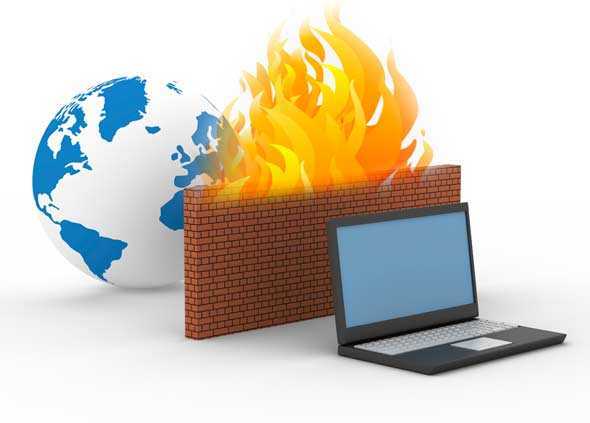
>> install a firewall

A firewall isn’t always 100 percent safe, but it is a much-needed layered security.  The software filters and keeps you safe from malware and downloads.

Windows offers a built-in firewall, but if you are looking for something else there are some great free firewall software suites online.

Related image

>> choose a strong password

If you use the most commonly known passwords out there – password, qwerty, 123456789 – then don’t be surprised when hackers take control.

It is best to try add numbers, capital letters, special characters and always use different passwords for different accounts.

>> check the URL

When shopping online, always check the URL of the website you’re on. Safe online sites will have a little green lock in the address bar which shows you that your personal data will be protected.

Always keep an eye out for the green padlock to ensure your safety online.

Image result for green lock URL

>> back up your data on a regular basis

Ransomware can be vicious and aggressive, so regular data backups should always be a part of your cyber-security strategy.

It is easier to restore your device to a previous backup, than pay an exorbitant ransom amount to unlock your data, which most of the time doesn’t even work!


Cyber-fraud is a global problem with attacks happening daily and Christmas is no exception. Identity theft, banking fraud and malware are common place in today’s digital society. Criminals seek out opportunities every day of the year to defraud you, so be vigilant this festive season and keep an eye out for any fraudulent behaviour online!

Wednesday, 30 November 2016

How to Keep your Smartphone Secure

Your smartphone is no different to your property or house when it comes to safety – you have to use common sense!

Image result

Here are eight easy tips on how to keep your smartphone safe and secure:

      1.       Use a password
Always set up a password, pin or pattern to be able to access your phone. For Android: go to Location & Security. For iOS: go to Settings -> Touch ID & Passcode.

      2.       Only download from trusted stores
Use places like Google Play and the App Store to download your games and apps. Also make sure to always read the ratings and reviews if they’re available.

      3.       Back up your data
Protect your information in case an attack happens by backing up your data. If your data ever gets lost, we can recover it. Contact the experts at DLA to get your data back!

      4.       Update your OS and apps
Most updates are just for new features, but sometimes they are also to up the security.

      5.       Log out!
If you do your banking or online shopping on your cellular device, always make sure to log out afterwards. Never keep your passwords and usernames on your phone and try to avoid using public Wi-Fi.

      6.       Turn off Wi-Fi and Bluetooth
You may think it’s just a way to connect to free Wi-Fi, but hackers can also use it to access your device and data.

      7.       Don’t give out personal info
That email you received that looks like it’s from your bank may be spam. If you get SMS’s or emails asking you to fill in your private info and login, always contact the business and confirm it is actually legit. 

Wednesday, 23 November 2016

6 Easy Steps to Keep your Data Safe

These simple steps can keep your data safe, whether it is on your work computer, personal laptop or smartphone. Malfunctions, cyber attacks and viruses can happen to anyone – if you’ve lost your precious data, we can recover it! Contact the experts at DLA today!

>> Use the right software to protect your data. Anti-malware is a must if you want to protect your computer!

>> Prevent viruses from attacking your PC and destroying your data by installing virus and spyware protection.

>> Stop viruses and malware from getting into your system by using a firewall to block dangerous programs.

>> Be wary when you receive emails from unknown sources. Never open an email attachment or clink on a link if you don’t know where the email came from.

>> Stay away from dodgy websites that might contain viruses.

>> Always keep your operating system up to date by installing any recent updates or fixes.

Related image


Wednesday, 26 October 2016

How a digital device becomes involved in a crime

Crimes committed using a digital device essentially employ a hi-tech method to carry out what is usually a traditional crime. Thus, crimes such as blackmail which traditionally evoke images of newspaper cuttings collaged together to create the archetypal ransom note nowadays employ computers to produce the ransom note, be it a printed document or an email.

Image result

Examples of other traditional crimes where a digital device has been applied include instant messaging, which can used to commit harassment; email, which is applied to commit fraud though 'phishing' scams; mobile phones to record assaults in what has come to be known as 'happy slapping' and then there are the peer to peer file sharing programs which have been used extensively to download and distribute pictures portraying pedophilia.

The list, it seems, is endless and so is the workload on any hi-tech crime unit to deal with such cases.

Not all crimes committed using a digital device use it as a means to an end. Hacking a computer system without authority is a crime targeted at the computer system itself. So to is a denial of service (DOS) attack on a websites or the intentionally distribution of a virus.


At DLA Digital Forensics, we combine the experience of two seasoned investigators with both criminal and civil backgrounds with the latest technologies to achieve the results that you require. From data recovery, recovery of chat history, digital suspect profiling and so much more - contact DLA today!