Showing posts with label DLA Cape Town. Show all posts

Wednesday, 23 November 2016

6 Easy Steps to Keep your Data Safe

These simple steps can keep your data safe, whether it is on your work computer, personal laptop or smartphone. Malfunctions, cyber attacks and viruses can happen to anyone – if you’ve lost your precious data, we can recover it! Contact the experts at DLA today!

>> Use the right software to protect your data. Anti-malware is a must if you want to protect your computer!

>> Prevent viruses from attacking your PC and destroying your data by installing virus and spyware protection.

>> Stop viruses and malware from getting into your system by using a firewall to block dangerous programs.

>> Be wary when you receive emails from unknown sources. Never open an email attachment or clink on a link if you don’t know where the email came from.

>> Stay away from dodgy websites that might contain viruses.

>> Always keep your operating system up to date by installing any recent updates or fixes.

Related image


Wednesday, 12 October 2016

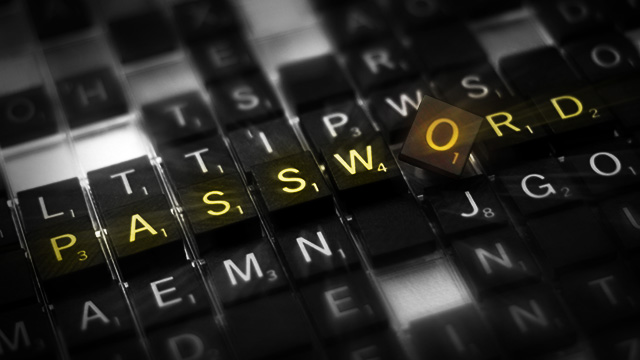
The Importance of a Strong Password

Too many people come to us in a frenzy complaining that either their data has been lost or stolen OR they simply cannot remember their password. When you don’t have a password you cant access or protect your files, on the other hand even if you do have a password you need to ensure it is 100% foolproof so you don’t end up being the victim!

Image result

DLA offers password recovery services for businesses and personal computer users, using only the latest technologies to achieve the password recovery results you need. Our forensic recovery service includes recovering passwords from zipped files, word documents, excel files and of course logon profiles on computers.

We are able to access what cannot be seen using the latest forensic technology. Using state of the art cellular forensics tools we are also able to bypass 98% of device passwords to read the device directly without needing to know the handsets logon or password. 

We can also perform cellular forensics as well as data recovery from laptops, computers, cell phones and media devices such as tablets.

Do not hesitate to contact DLA for professional and affordable services in Cape Town and the surrounding areas!


Wednesday, 21 September 2016

How Digital Devices are collected on a Crime Scene

As anyone who has dropped a cell phone in a lake or had their computer damaged in a move or a thunderstorm knows, digitally stored information is very sensitive and easily lost. There are general best practices, developed by organizations to properly seize devices and computers. 

Image result

Once the scene has been secured and legal authority to seize the evidence has been confirmed, devices can be collected. Any passwords, codes or PINs should be gathered from the individuals involved, if possible, and associated chargers, cables, peripherals, and manuals should be collected. 

Thumb drives, cell phones, hard drives and the like are examined using different tools and techniques, and this is most often done in a specialized laboratory.

First responders need to take special care with digital devices in addition to normal evidence collection procedures to prevent exposure to things like extreme temperatures, static electricity and moisture.

- Devices should be turned off immediately and batteries removed, if possible. Turning off the phone preserves cell tower location information and call logs, and prevents the phone from being used, which could change the data on the phone. In addition, if the device remains on, remote destruction commands could be used without the investigator’s knowledge. Some phones have an automatic timer to turn on the phone for updates, which could compromise data, so battery removal is optimal.

- If the device cannot be turned off, then it must be isolated from its cell tower by placing it in a Faraday bag or other blocking material, set to airplane mode, or the Wi-Fi, Bluetooth or other communications system must be disabled. Digital devices should be placed in antistatic packaging such as paper bags or envelopes and cardboard boxes. Plastic should be avoided as it can convey static electricity or allow a build-up of condensation or humidity.


- When sending digital devices to the laboratory, the investigator must indicate the type of information being sought, for instance phone numbers and call histories from a cell phone, emails, documents and messages from a computer, or images on a tablet.

Image result

Computers and cellular devices have had an increasing role in modern crime, let the digital forensic experts at DLA follow the electronic trail to find and protect the digital evidence that you need.

Wednesday, 24 August 2016

Digital Evidence – How It’s Done

Computer documents, emails, text and instant messages, transactions, images and Internet histories are examples of information that can be gathered from electronic devices and used very effectively as evidence. 


For example, mobile devices use online-based based backup systems, also known as the “cloud”, that provide forensic investigators with access to text / messaging app messages and pictures taken from a particular phone. These systems keep an average of 1,000–1,500 or more of the last text messages sent to and received from that phone.

In addition, many mobile devices store information about the locations where the device travelled and when it was there. To gain this knowledge, investigators can access an average of the last 200 cell locations accessed by a mobile device. Satellite navigation systems and satellite radios in cars can provide similar information. Even photos posted to social media such as Facebook or Instagram may contain location information. 

Photos taken with a Global Positioning System (GPS)-enabled device contain file data that shows when and exactly where a photo was taken. 


Investigators can collect a great deal of history related to a device and the person using it!


DLA is based in Cape Town and combines the experience of two seasoned investigators with both criminal and civil backgrounds with the latest technologies to achieve the results that you require.

Wednesday, 3 August 2016

Your deleted WhatsApp messages might not be as 'deleted' as you thought

Sometimes, the delete option is your best friend.

WhatsApp brought you the two-tick (so you can’t hide the fact that you’ve received a message) and then the blue ticks (so you can’t hide the fact that you’ve read a message).

In April - despite much controversy following the San Bernadino attack, in which the FBI had paid almost £1 million to unlock the iPhone used by one of the shooters - WhatsApp went ahead with end-to-end encryption.

This means that while you can’t hide your ghosting antics from the person in question, you can hide your messages from third parties.

But according to a new blog post, an iOS device might actually still store your "deleted" messages.

The data works similarly to your laptop’s hard drive: you might be able to delete the WhatsApp messages, but deleting it doesn't overwrite the data, which means it can still be retrieved.

When you backup your iPhone with iCloud the data gets copied to a less secure forum.

While the information can’t necessarily be accessed by a third party, it is still stored locally on your device which means that the only real way to get rid of it is by deleting the app.

Even then, the police can still potentially access it.


Law enforcement can potentially issue a warrant with Apple to obtain your deleted WhatsApp chat logs, which may include deleted messages.

Basically, the delete option may not be that great friend after all.

DLA is based in Cape Town and combines the experience of two seasoned investigators with both criminal and civil backgrounds with the latest technologies to achieve the results that you require.

Wednesday, 20 July 2016

What Exactly is Computer Forensics?

The field of computer forensics has grown to become a science in itself. Computer forensics is also known as cyber forensics. It involves applying computer investigation and analysis techniques to solve a crime and provide evidence to support a case. Investigators often use proprietary forensic applications and software programs to examine computer hard drives, extract certain types of data from files and folders, and also to recover information from encrypted files. This digital information must be organized and documented into an official report form to be presented in a court of law.

Computer Forensics Defined

The computer forensics definition can be broken down into several technical aspects of the actual science of computer forensics. The general definition of computer forensics is the processes and investigative methods used to find digital evidence and prepare it for legal proceedings. The more in-depth definition includes the preservation of media and data, identification of computer-related evidence, extraction of the data and interpretation. Interpretation is perhaps the most important element of the computer forensics definition because this is where forensics experts must draw conclusions from a formal forensic analysis.

Throughout the process of data gathering and interpretation, the computer forensics specialist must document everything in a structured fashion. They must report exactly what types of investigations were performed and document all of the steps taken to retrieve various files, folders and data. The courts can then apply various types of methodology and testimonies in order to determine whether evidence presented can actually be used in the legal proceedings. This is why computer forensics specialists must learn about the different legal processes involved in an investigation and make sure that there is always a high level of integrity of evidence.

Why the Computer Forensics Definition Can Change

It's important to recognize that there are two main types of computer forensics investigations so the computer forensics definition can change. The first involves investigations where a computer or digital technologies were used to perform the crime (cybercrime). The second is when a computer is used as the target of a crime, such as when a hacker retrieves sensitive information or someone has their identity stolen online. In both of these situations, the computer forensics definition may change slightly because the investigator uses different techniques and methodologies to solve the crime.


The digital forensic experts from DLA use their knowledge of investigation and forensic software to find and reveal the computer or mobile forensic evidence that your require.

Thursday, 14 July 2016

Straight Talk About Cyberstalking

Cyberstalking includes (repeatedly) sending threats or false accusations via email or mobile phone, making threatening or false posts on websites, stealing a person’s identity or data or spying and monitoring a person’s computer and internet use. Sometimes the threats can escalate into physical spaces.


There are just as many predators on the internet as there are in real life. Anyone can be stalked online but the majority of victims as in life offline are female. Stalking estimates show that 80% of stalking victims are women.

And the perpetrators are not just strangers. They can also be former, estranged or current partners, boyfriends or husbands. Domestic violence victims are one of the most vulnerable groups to traditional stalking so it’s no surprise they are vulnerable to cyberstalking as well.

As in other types of violence against women, cyberstalking is about power relations, intimidation and establishing control. If you are being stalked, know first and foremost that you did NOT “provoke” this harassment.

How can I prevent someone from stalking me online?

- Be careful what personal information you share online including in email, on social networking sites like Facebook, Twitter, Instagram, etc. It is very easy to glean information about where you live, the places you love to go to in your area and the people you care about from posts and pictures.

- Create a different email account for registering in social networking sites and other online spaces. It will help avoid spam and your personal email won´t be revealed if the online service doesn’t have a good privacy practice.

- Do not feel obligated to fill out all fields when registering online or provide identifying information such as birthdates and place in required fields.

- In your online user profile, use a photo that doesn’t identify you or your location, so you can’t be recognised.

- Consider using a name that is not your real name or a nickname as your email name, screen name or user ID. And try not to use common dates such as your birthday as the digits in your email name or password. Instead, pick a name that is gender- and age-neutral. Treat your email and/or internet account like you would your credit card, ID or passport number – very carefully.

- If you are breaking up with an intimate partner – especially if they are abusive, troubled, angry or difficult – reset every single password on all of your accounts, from email and social networking accounts to bank accounts, to something they cannot guess.

- Services such as Facebook change their privacy policy all the time, so it is a good idea to check your privacy settings to make sure you are sharing the information you want to share with people you trust and not the general internet public. Some sites have options for you to test how your profile is being viewed by others – test and make sure you only reveal what is absolutely necessary.

- What information are family and friends posting about you? Let them know your concerns about privacy and help them learn better privacy settings.

- Do an internet search of your name regularly and monitor where you appear online. If you find unauthorised info about yourself online, contact the website moderator to request its removal.

- Make sure that your internet service provider (ISP), cell phone service, instant messenger (called internet relay chat, or IRC in some terms of service) network and other services you use has an acceptable privacy policy that prohibits cyberstalking. If they have none, suggest they create one and/or switch to a provider that is more responsive to user privacy concerns and complaints.

Digital forensics takes much more than an average knowledge of all things digital, it requires a thorough understanding of investigative process, the law of evidence and of naturally the appropriate background to criminal and civil investigations.

Contact DLA today and let us follow the digital trail to find the evidence you need!

Wednesday, 15 June 2016

Computer Forensics Basics – How it works

The purpose of computer forensics techniques is to search, preserve and analyze information on computer systems to find potential evidence. Many of the techniques detectives use in crime scene investigations have digital counterparts, but there are also some unique aspects to computer investigations.

For example, just opening a computer file changes the file -- the computer records the time and date it was accessed on the file itself. If detectives seize a computer and then start opening files, there's no way to tell for sure that they didn't change anything. Lawyers can contest the validity of the evidence when the case goes to court.

Some people say that using digital information as evidence is a bad idea. If it's easy to change computer data, how can it be used as reliable evidence? Many countries allow computer evidence in trials, but that could change if digital evidence proves untrustworthy in future cases.

Computers are getting more powerful, so the field of computer forensics must constantly evolve. In the early days of computers, it was possible for a single detective to sort through files because storage capacity was so low. Today, with hard drives capable of holding gigabytes and even terabytes of data, that's a daunting task. Detectives must discover new ways to search for evidence without dedicating too many resources to the process.

What are the basics of computer forensics? What can investigators look for, and where do they look? Find out when the digital forensic experts from DLA discuss the steps in collecting evidence from a computer?


Wednesday, 8 June 2016

Four ways to protect your PC data

A modern PC leads a kind of dual life. On the one hand, it serves as an entertainment centre, offering access to games, online videos, and the entire Internet. On the other hand, it acts as a tool for collecting, creating, and storing important information of all kinds.

If your computer is lost, broken, or stolen, switching to a new one has little effect on the entertainment side. But unless you've properly protected the personal data on that system, a theft or loss could become a data disaster.

The digital forensic experts at DLA use state-of-the-art techniques and software to recover your precious data, whether it was accidentally deleted or even stolen.

But, how can you head off such a disaster? Here are some hot ideas:


1. Hide Your Valuables
If a burglar breaks into your house, will she find your valuables lying around in plain sight? Or have you hidden them away safely? By the same token, even though your security suite or antivirus really should fend off data-stealing Trojans, protecting your personal data on the chance one might get through is just common sense. Having your data locked down will also help if that burglar makes off with your laptop.


2. Skip the Recycle Bin
When you need to dispose of papers that contain private information, you don't toss them in the recycling bin with the newspapers. Rather, you put them through the shredder. When deleting sensitive files, you should likewise avoid Windows's Recycle Bin.


3. Encrypt It!
A data-stealing Trojan will grab what it can get easily. Unless you're the target of a personally directed hack attack, you can figure that even simple encryption will defeat the Trojan. Got a sensitive file you need to keep, rather than shred? At the very least, copy it into an encrypted ZIP file and then shred the original.


4. Keep It Offsite
PCs break down, laptops get stolen, files get lost. A backup copy is the ultimate security for your data, but if you keep the backup with the computer a single disaster can take out both at once. A hosted online backup service encrypts your data and keeps it in a safe location far, far away.

Unless your PC functions as nothing but an entertainment centre, its loss or theft will have an impact far beyond the cost of a replacement. By taking steps to protect the important data on the PC you can keep that impact to a minimum.

Hide personal data, securely delete outdated sensitive files, and encrypt sensitive files that you're still using. That will keep a thief from stealing both your PC and your identity. Maintaining an offsite backup copy will ensure you don't lose access to the data files you really need to keep. A little effort now can save a huge headache later.

Wednesday, 1 June 2016

How to protect the private data on your phone

Your mobile phone carries all sorts of details that could damage you in the wrong hands. Here's how you can protect it from prying eyes.


  • Register your IMEI number

The International Mobile Equipment Identity is used by police to trace a lost phone. Network providers use it to block a stolen phone. It's usually found under the battery, or via the phone's settings. Register it at a site such as immobilise.com.

  • Remotely wipe all data

If you have lost your phone, you can clear the data before thieves download it. Android devices can use Google Sync along with Google Apps Device Policy to clear data remotely. Have you cleared your data and you want to get it back? Contact the digital experts at DLA and you can get your precious data back quickly and easily!

  • Get antivirus protection

Now is the time to protect against malware and viruses, particularly on Android phones. There are subtle ways for developers and fraudsters to get to your data. Most computer antivirus-software companies provide apps to keep out malware and viruses that grab data.

  • Download a phone-Finder app

Most smartphones now have GPS tracking -- which you can use to locate a lost phone. Apple's Find My iPhone app has been free since the introduction of iOS 4.2. Android users should try Theft Aware.


Wednesday, 25 May 2016

The 5 cyber-attacks you're most likely to face

The fact is most companies face the same threats and should be doing their utmost to counteract those risks. However at some point you may lose your precious data to a vicious cyber-attack, if you’re ever in this position, contact the experts at DLA for assistance!


Here are the five most common successful cyber-attacks.

Cyber-attack No. 1: Socially engineered Trojans

This is the No. 1 method of attack. Usually, a website will tell users they are infected by viruses and need to run fake antivirus software. Also, they're nearly out of free disk space and need a fake disk defragger. Finally, they must install an otherwise unnecessary program, often a fake Adobe Reader or an equally well-known program. The user executes the malware, clicking past browser warnings that the program could possibly be harmful. Voilà, exploit accomplished!

Cyber-attack No. 2: Unpatched software

Coming in a distant second is software with known, but unpatched exploits. The most common unpatched and exploited programs are Java, Adobe Reader, and Adobe Flash.

The best countermeasure is to stop what you’re doing right now and make sure your patching is perfect!

Cyber-attack No. 3: Phishing attacks

About 70% of emails are spam. Even though there are anti-spam vendors, you will probably receive several spam emails each day, and a least a few of them each week are darned good phishing replicas of legitimate emails.

Cyber-attack No. 4: Network-traveling worms

Computer viruses aren't much of a threat anymore, but their network-traveling worm cousins are. We don't see the massive outbreaks of the past with email attachment worms, but the network-traveling variety is able to hide far better than its email relatives.

Cyber-attack No. 5: Advanced persistent threats

APTs usually gain a foothold using socially engineered Trojans or phishing attacks.

A very popular method is for APT attackers to send a very specific phishing campaign -- known as spearphishing -- to multiple employee email addresses. The phishing email contains a Trojan attachment, which at least one employee is tricked into running. After the initial execution and first computer takeover, APT attackers can compromise an entire enterprise in a matter of hours. It's easy to accomplish, but a royal pain to clean up.

Wednesday, 18 May 2016

Never forget the victim (and their device)!

Regardless if your case involves computers, tablets, iPhones, Android devices or all of the above, one thing the investigative community can agree on is, every case is different.  

Sure, certain cases will follow a workflow pattern, but the circumstances of every case, the suspects/targets, investigators and victims all take on different faces, which can alter your approach to conducting digital forensic analysis in the case slightly or dramatically.  We’ve all seen a surge in criminal (and civil) cases involving smart phones and other mobile devices and with that comes the mountain of evidence that is contained on a those powerful pocket computers that can store up to 128 GB of data (or more).

But consider this: You may only be getting half of the story if the only device you seize and analyze is that belonging to the target of your investigation.

The digital forensic experts at DLA encourage anyone who needs data, SMS, WhatsApp, password recovery, and so much more, to contact them today!  

  • Case Application 

The best case example we can use to illustrate this point is the investigation of a rape allegation.  Rape doesn’t happen in a bubble, it takes two people (or more) for a rape to occur.  And virtually everyone involved in these incidents owns & uses a smart phone on a daily basis.  Frequently, rape occurs when the alleged perpetrator knows the victim, either in some sort of early-stage relationship, a family friend, relative, etc.  Because experienced investigators know this to be true and many reports will validate this, it is your investigative responsibility to prove or disprove the claim.  In order to help do that, you need to seize not only the target’s phone data, but also the alleged victim’s phone data – all as soon as possible.

The best (and sometimes worst) thing about mobile device forensics is, once the data is extracted, it belongs to the digital forensic examiners. It is a digital snapshot of whatever was present on the device at the time the extraction took place and, depending on the device, may also give us access to deleted information.  So in the interest of conducting a thorough investigation, I put forth that when an alleged rape victim makes the report, investigators should make it a regular and common practice to ask for consent to perform a data extraction on his/her phone.  It is simply the easiest way to get a 360-degree view of the case.

  • A More Holistic View of the Data

Consider also what happens in the mind of the target after they know they may have committed a crime.  Text and chat messages are deleted.  Pictures of the alleged victim get erased from the device.  They may even dispose of the device altogether and replace it with a new, fresh phone that has virtually no useful evidence contained on it.  

Wouldn’t it be nice if the other side of those conversations still existed on another device?  What’s more, by grabbing the data from the alleged victim’s phone, you work toward a more complete investigation of the allegation.  It is an unfortunate reality that there are often false reports of serious crimes.  This certainly doesn’t mean that we automatically assume the victim may be lying, but it is our responsibility to fully investigate the case to determine what actually happened.  Victims and eye witnesses are notoriously unreliable for different reasons.  When victims are subjected to trauma, their accurate recollection of the incident can suffer to a degree, so that puts even more oneness on the investigator to try and piece the puzzle together.

The best part about the data is it doesn’t lie.  It has a perfect memory and it’s all documented, complete with date and time stamps, GPS coordinates, network activity and other great pieces of evidence that are very hard to spoof or fake, if not nearly impossible for most mobile device users. 


Never forget there is always more than one person involved in the investigation. Grabbing the alleged victim’s cell phone data in this circumstance could mean the difference between an innocent person being convicted of a serious crime or being exonerated fully.  When all the facts have been completely uncovered, the truth must remain and will have to hold up in a court of law. 

Wednesday, 11 May 2016

The Anatomy of a Mobile Attack

A mobile attack can involve the device layer, the network layer, the data centre, or a combination of these. Inherent platform vulnerabilities and social engineering continue to pose major opportunities for cyber thieves and thus significant challenges for those looking protect user data.


If you’ve been the victim of a mobile attack, don’t hesitate – contact the digital forensic experts at DLA and we can help you recover your precious cellular data quickly and effectively.

ATTACK SURFACE: DEVICE

Browser
- Phishing
- Framing
- Clickjacking
- Man-in-the-middle
- Buffer Overflow
- Data Caching

System
- No Passcode / Weak Passcode
- iOS Jailbreaking
- Android Rooting
- OS Data Caching
- Passwords & Data Accessible
- Carrier-Loaded Software
- No Encryption / Weak Encryption
- User-Initiated Code

Phone / SMS
- Baseband Attacks
- SMishing

Apps
- Sensitive Data Storage
- No Encryption / Weak Encryption
- Improper SSL Validation
- Config Manipulation
- Dynamic Runtime Injection
- Unintended Permissions
- Escalated Privileges

Malware

ATTACK SURFACE: NETWORK

- Wi-Fi (No Encryption / Weak Encryption)
- Rogue Access Point
- Packet Sniffing
- Man-In-The-Middle (MITM)
- Session Hijacking
- DNS Poisoning
- SSL Strip
- Fake SSL Certificate

ATTACK SURFACE: DATA CENTRE

Web Server
- Platform Vulnerabilities
- Server Misconfiguration
- Cross-site Scripting (XSS)
- Cross-Site Request Forgery (CSRF)
- Weak Input Validation
- Brute Force Attacks

Database
- SQL Injection
- Privilege Escalation
- Data Dumping
- OS Command Execution

Wednesday, 4 May 2016

The Profile of a Cyber Criminal

The original cyber criminal is typically seen as a smart, lonely deviant – a teenage or adult male who’s long on computer smarts, but short on social skills. But like most stereotypes, it doesn’t begin to tell the whole story.


The digital forensic experts at DLA have provided interesting facts and statistics to identify the exact profile of a cyber criminal.

- Every day over 105 million worldwide are victims to cyber crime.
- 65% global internet users have been victims of cyber crime.

So, who exactly are these cyber criminals?

Ageless Society
  • 50+ years old – 11%
  • 35+ years old – 43%
  • Under 25 years old – 29%
  • 14 - 18 years old – 8%


Gender
  • Male – 76%


Work in Packs
Cyber criminals work in groups as part of larger organisations…
  • 25% active cyber criminal groups have operated for 6 months or less
  • 50% cyber criminals groups have 6 or more members


Located in
  • North & South America – 19% of global attack traffic
  • Europe – 28% of global attack traffic
  • APAC – More than 49% of global attack traffic
  • Indonesia – Highest in APAC with 14%


Highly Organised
  • Full-fledged businesses with execs, middle managers and workers.
  • Underground chat rooms, web portals + market places for hiring hackers, buying malware + other illegal information are supporting these “businesses”.
  • Invitation-only, help wanted portals specifically for cyber criminals, most originating from Russia.
  • Hosting providers are key to success of cybercriminals who need servers to store illegal code, malware + stolen data, most of these providers are in Russia and China.


FIGHT BACK!

Always
  • If buying merchandise or making a payment online, make sure it is a reputable, secure source.
  • Track your online credit transactions often for fraudulent activity
  • Shred, don’t throw away any bank or credit card statements

Caution
  • Be wary of providing credit card information through email.
  • Be cautious when dealing with individuals from outside your country.
  • Be cautious when money is required up front for any job lead.

Never
  • Never provide unknown prospective employers with your social security number.
  • Never give your credit card number out over the phone unless you made the call to the known business.
  • Never open or respond to spam emails.


We can’t stop cyber criminals from attempting their crimes, but we can stop them from getting our identities and precious information online.

Thursday, 28 April 2016

When the Trill of a Cell phone Brings the Clang of Prison Doors

It was a crucial moment in 2007 during the trial of Paul Cortez, an actor and yoga teacher who was ultimately convicted of killing his former girlfriend Catherine Woods, a dancer who was working as a stripper.

After weeks of testimony and a parade of witnesses, the case against Mr. Cortez boiled down to this: a bloody fingerprint and data collected from a cell phone.

A record from a T-Mobile cell phone transmission tower on the day Ms. Woods was murdered showed that Mr. Cortez called her 13 times in the hour and a half before her death, and then never again. He had told the police in a written statement that he made the calls from his home.

But as he called, the record showed his cell signal hitting a tower near his apartment, and gradually shifting to towers near Ms. Woods’s apartment. At trial, when the prosecutor questioned him about the discrepancy, Mr. Cortez changed course, saying he had made some of the calls from a Starbucks.


Examining cell phone data is a technique that has moved from being a masterful surprise in trials to being a standard tool in the investigative arsenal of the police and prosecutors, with records routinely provided by cell phone companies in response to subpoenas. 

Its use in prosecutions is often challenged, for privacy reasons and for technical reasons, especially when the data comes during the morning or evening rush, when circuits are crowded and calls can be redirected to other towers. But it is often allowed and is used by both prosecutors and defence attorneys to buttress their cases.


DLA combines the experience of two seasoned investigators with both criminal and civil backgrounds with the latest technologies for the best results.

Wednesday, 20 April 2016

We may never know how the FBI unlocked the shooter’s iPhone

We know now that the FBI was able to gain access to an iPhone 5C belonging to the San Bernardino shooter thanks to an outside security firm. What we don’t know is how it was done or even who did it. We may never know, thanks to the nature of the agreement between the FBI and the unnamed firm.

The government has what is known as the Vulnerabilities Equities Process, which is used to evaluate whether security flaws known by the government should be disclosed so they can be fixed. In this case, the exploit used to bypass the PIN lock on the shooter’s iPhone 5C is considered proprietary information by the company. Meaning, it’s not a publicly available exploit. It was either discovered by the firm, or more likely purchased from whoever uncovered it in the first place.

Having exclusive knowledge of an exploit allows a company to build a tool for bypassing security features, a hot commodity in law enforcement. These undisclosed exploits can sell for thousands, or even millions of dollars. For its part, the FBI probably couldn’t disclose the specifics of the hack even if it was permitted — it doesn’t know anything about the process.

Apple has said it would be interested in fixing the exploit, but it’s unlikely it affects newer iOS devices with hardware security features. The FBI isn’t likely to do Apple any favors even if it did have specifics. After getting a court order compelling Apple to assist with unlocking the phone, the company decided to fight it out in the courts. Virtually all tech firms rallied behind Apple, and the FBI eventually dropped the case and sought outside help. And the end result?Nothing significant has been found on the iPhone.

Digital and cellular forensics is much more than you may think. It requires a thorough understanding of investigative process, the law of evidence and of naturally the appropriate background to criminal and civil investigations. The forensic experts at DLA will follow the electronic trail to find the evidence that you need.

Wednesday, 6 April 2016

The demand for mobile forensics is continuously growing

Every day, more and more people are using smartphones. The amount of data which is wirelessly transmitted continues to increase at an impressive rate. According to the results of a survey there has been a huge increase in the number of active smartphones since 2011.


If you think about what our cell phones are today, they’ve actually moved away from simple cell phones and evolved into smartphones which are tiny, powerful computers that people are walking around with every day.

Digital forensic experts from DLA say that the value is not just in the cell phone call history and text messages. It’s about the ability to Google search whatever you want and have information at your fingertips. Cell phones have become diaries of people’s lives.

As digital detectives, DLA is trying to find out what was happening in somebody’s life, to whom they were talking, what the contents of those conversations were, and how they relate to the crime being investigated. This is indispensable evidence that can never be overlooked.


Mobile forensics examiners describe how there is probably more probative information found on a mobile device per byte examined than on computers. 

Wednesday, 23 March 2016

6 essential computer forensic tips

Cybercrime is becoming even more of a concern, which makes computer forensics a growing science. The worst thing a business can do when digital forensic professionals are working is to proceed carelessly. That is why it is vital to keep these tips in mind when a computer is being investigated on your watch.

1. A computer is a crime scene, and it needs to be treated as such. All investigation activity needs to be logged and all the equipment inventoried.

2. The machine should be isolated from the network.

3. Investigators should almost never work with the original hard disk or media or any original files. Rare exceptions to this rule include situations when turning off the computer will destroy evidence. But most often, examiners should make copies—and not just any copies, but forensically sound ones. Just backing up a drive, for example, will not transfer slack space and deleted files that need to be searched.

4. Don’t violate the chain of custody. If evidence is to be used in a legal case, it must be clearly established what the evidence is, where the evidence was, and what was done to it at all times. If there’s any suspicion that the evidence was tampered with or altered, then you may be left without a case.

5. Don’t be in a fixed frame of mind. No two investigations are alike. Because of this, investigators use training and experience to narrow the scope of an investigation.

6. Don’t digress. Remember that the point of an investigation is to determine three things: whether a violation took place, the exact sequence of events that took place, and finally, who was responsible.


In this day and age, businesses are all too vulnerable to high tech crimes. Whether the computers are used to commit felonies or simply to violate company policy – businesses can be embarrassed, inconvenienced and even shut down. If you are ever in this situation, contact the digital forensic experts at DLA!

Wednesday, 16 March 2016

3 important reasons why you need a digital forensic examiner

I bet you haven’t seen the top 3 reasons you need to hire a digital forensic investigator!  Not to be outdone, we’ll try to keep it to only five:

1)  Data is everywhere

Think about all the digital devices you own and use.  Chances are, you probably use your handheld portable device in the morning, transition to laptop/desktop computer during work hours, then go back to mobile with heavy use of tablets during the evening hours (probably because you and your partner don’t want to watch the same TV shows).

So the bottom line is, virtually everything you do during the day will involve a digital device on some level and leave a digital footprint.  That data is stored on those devices and if you’re involved in some sort of dispute, accident, encounter, etc. that may lead to legal action down the road, you’re going to want a trained digital forensic expert to acquire, analyse and report that data for you. 

2)  Data breaches affect everyone

In the past year or so, there have been dozens of high-profile data breaches occur in the private commercial and government sectors.  For everyday consumers like us, it means that our personal information could be shared with unsavoury types, so whether you’re hiring a digital forensic examiner yourself or your bank is hiring one to help find out what happened and by whom, it does affect you.

3)  Chances are, you’ll be involved in litigation at some point

Not all legal matters are contested, but when they are, you want the data to show the truth.  And if you believe #1 (data is everywhere), the likelihood that you will not only be involved in some sort of contested litigation, but that the litigation will likely involve retrieving & reporting data that is critical to your case in a verifiable, forensically sound manner is very real.  From divorces to child custody to distracted driving personal injury to criminal cases, the universal nature of the devices we carry and the data they store cannot be denied.


So there’s the list.  If nothing else, we hope this serves to educate just some of the reasons why you may need a digital forensic examiner on speed-dial.  Is a digital forensic examiner someone you need every day?  No.  But much like your car mechanic, your exterminator and your lawyer, you sure want to know how to contact a good one when the time comes! Contact DLA Digital Forensics today – we can’t wait to be of service to you.

Wednesday, 9 March 2016

Here’s how digital forensics can help solve personal injury cases


If society has learned one thing over the past several years since the introduction of the smart phone, it’s that data is everywhere. Long gone are the days when data was mostly on your home PC or laptop computer. 

Now, everyone carries a microcomputer in their pocket, tracking their every move. Even better, it’s equipped with a camera capable of taking pictures and video in high-definition and a microphone for recording audio along with video or as a stand-alone feature. Smart phones are documenting machines. If they weren’t, companies wouldn’t seek to have you put apps on them to be able to market products to you. They document not for safety or security, but to make big data companies and retailers lots and lots of money.

But this fact has an ancillary benefit for the professionals in digital forensics. It means that the micro-computer that is tracking your moves in order to market certain products to you also stores valuable evidence for use in investigation and litigation. SMS and WhatsApp messages, pictures, videos, notes, voicemail, call logs, web history and more are all extremely valuable pieces of evidence that may be obtained from smart phones.

If you’ve never thought about it before, think now about how much you use your smart phone and what you use it for. Then, think about all the high-tech tracking devices it has installed in it -- GPS, cellular antennas, wireless internet antennas and Bluetooth. All of these things leave a digital trace in the form of metadata on your device and can be retrieved by most mobile forensic tools and analysed and reported by a competent examiner. It’s a digital mountain of information that most users can’t access or even realize is present on their device… All you have to do is ask for it!

So, now that you know what is accessible on the device, how can you use it to benefit your case? First, it’s important to realize that the “CSI Effect” is an actual phenomenon. To believe that we can extract data that will be the smoking gun in your case is (mostly) not realistic. However, if you take the totality of the circumstances in your case, to include the digital forensic findings, the data that we can retrieve may very well paint a much clearer picture of what was going on in your case.

The best example in personal injury cases is texting-while-driving, which is a big deal in motor vehicle crash personal injury cases these days. Most personal injury attorneys would love to have proof that the opposing party was texting at the moment of the collision. Unfortunately, that’s probably not realistic.

However, what we can show is the activity leading up to that collision. For example, if the opposing party was on their way home from work and we know this to be a 20 minute commute and the collision happened 7 minutes into the drive, that’s one piece of the puzzle. If they were involved in a text conversation prior to and during that 7 minutes directly leading up to the collision, that’s another piece.

If they were also searching for places to order pizza on their mobile internet for when they got home, that’s yet another piece. All of these instances are recorded on the device with dates and times and sometimes, specific location. In the case of Facebook Messenger, messages that are sent routinely have the geo-location (latitude & longitude) of where the person was when the message was sent, providing a message-by-message diagram of where they were, proving that they were in fact texting-while-driving directly prior to that collision. What’s even better, this information can’t be deleted or altered by most end-users.

Texting-while-driving is probably the most universally understood example of the value of digital forensics in personal injury cases, but it’s just one example. The overall point is, if you have any evidence that a mobile device was involved in the injury of another, it pays to call a digital forensic consultant as soon as you know, such as DLA Digital Forensics today! It’s best for the client, it’s best for you and it helps everyone get on with their lives much quicker in the wake of what may have been a tragic accident.